
 by
by This forum uses GTalkabout on phpBB(a type of GTalkabout's Client Edition), and allows your browser (for example IE, Firefox, Chrome, Opera, etc.) to read and post outside of using the client software. However, compared with an Internet browser, using the client will allow you to conveniently input source code location, view source code patches, allow readers to instantly view the source code mentioned in a post, as well as use patches contained within the post to modify the source code.
A simple example of how to use GTalkabout to read and post follows:
Dennis is a member of our BBS, but does not have permission to 'directly commit' to the code contained in the gtalkabout_on_phpbb's repository. Therefore, he will use his posts to write comments into the project source code.
In the picture below, Dennis is posting a thread with the subject title: "Add 'gtm' extension type" and the message body: "A 'gtm' file is a message in GTalkabout, and attaches itself to the phpBB's posts. You can read it using the GTalkabout Client Edition and create instant associations with your source code." He presses the "post" button.
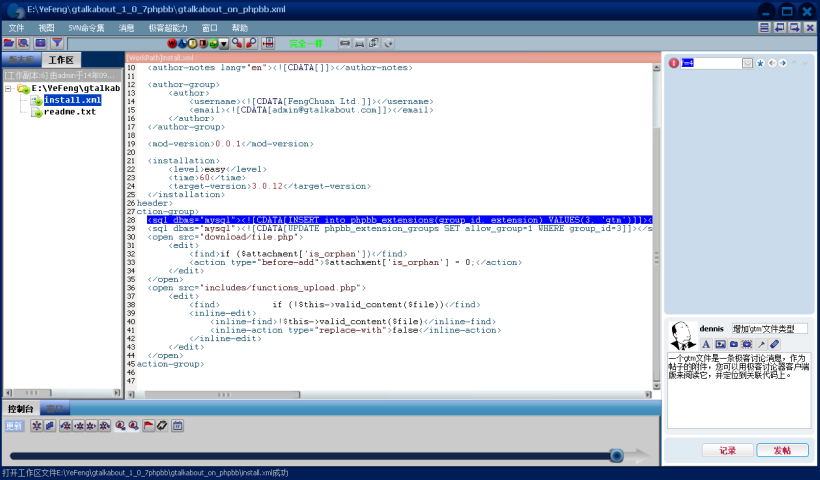
He then chooses the associated code in the relevant source code window: "< SQL DBMS =" mysql "> <! [CDATA [INSERT into phpbb_extensions (group_id, extension) VALUES (3, 'GTM research')]] > < / SQL >", and clicks "Yes".
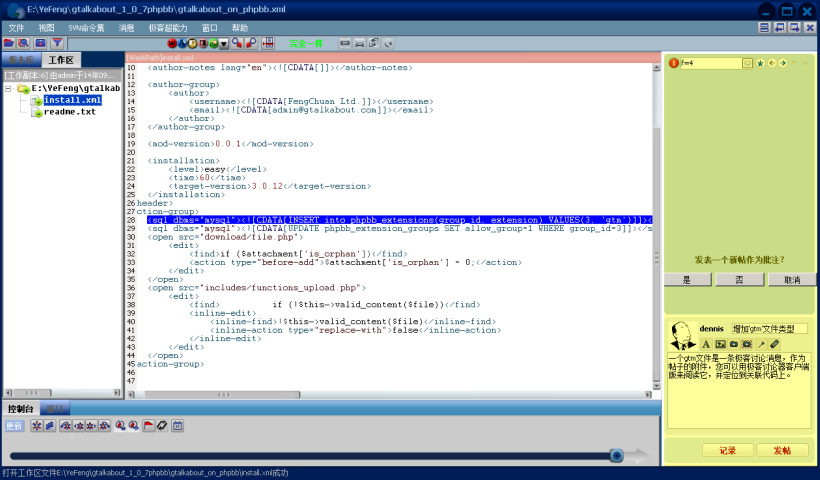
This creates a new topic in 'forum 4'. The ID for the generated topic is '5'.
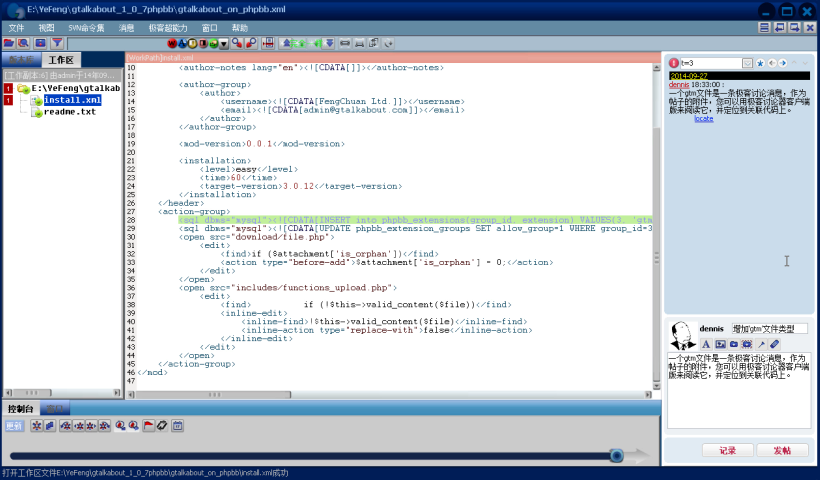
You can see that a new topic (post) has been generated and associated with the selected code in the repository. This post can be read by a browser, and anyone who can access this phpBB forum can read this post by browser or directly via GTalkabout on phpBB.
 News
News Site map
 SitemapIndex
 RSS Feed